



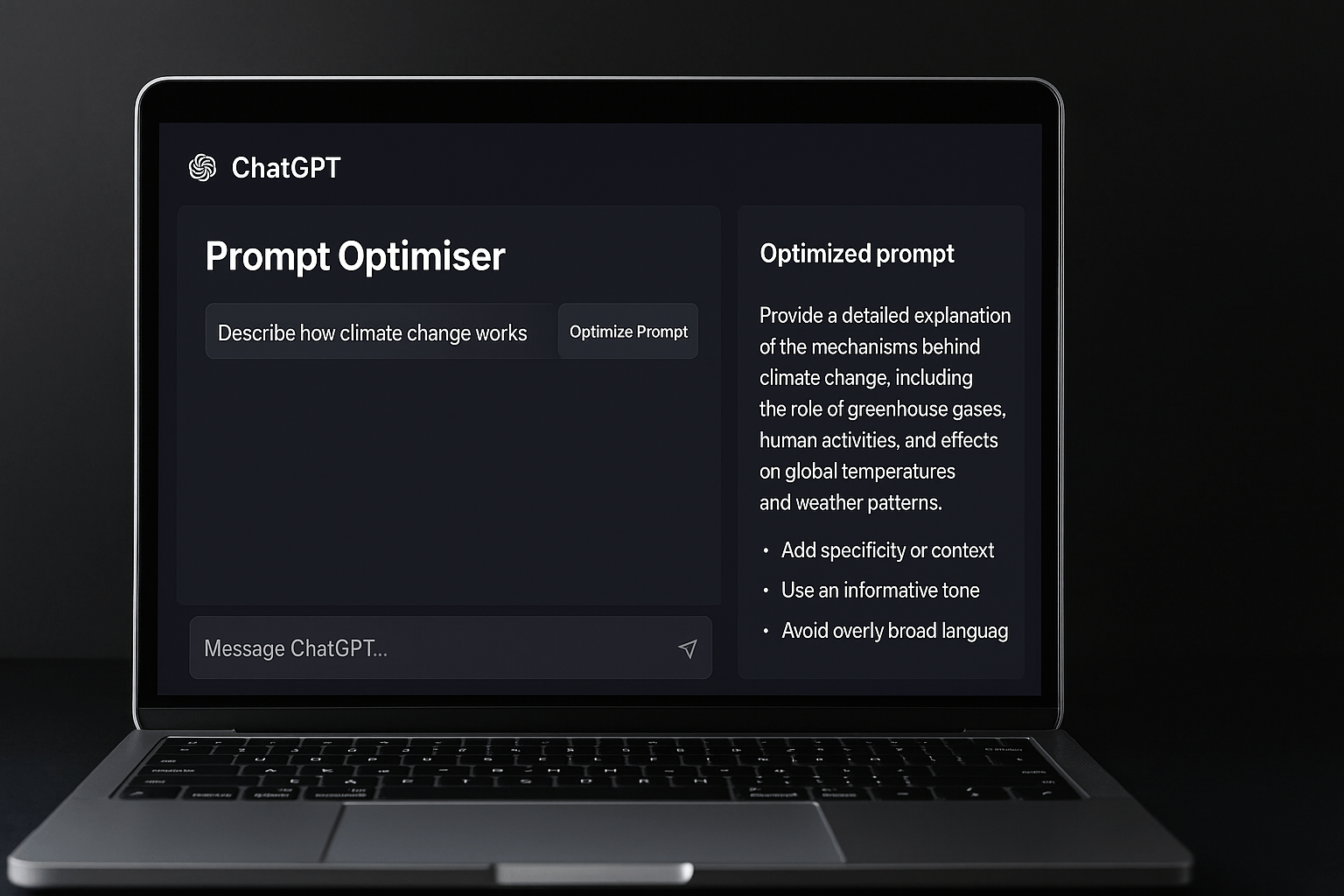
OpenAI has launched a new feature inside ChatGPT called the Prompt Optimiser, designed to help users get the most accurate and contextually relevant responses by refining the way they frame their queries. The tool comes at a time when millions of users are experimenting with AI, often struggling with vague or incomplete prompts that lead to unsatisfactory results.
The Optimiser works like a smart editor for your input. It analyses your initial question, suggests clearer alternatives, and provides real time tips on what to add or avoid. For professionals, students, content creators and businesses alike, this feature can be the difference between a generic answer and a highly useful output.
Industry experts see the move as part of a larger trend in generative AI tools that are evolving not only to answer but also to guide users in asking better questions. According to OpenAI, early testing has shown that optimised prompts deliver more detailed, actionable and creative responses across use cases ranging from marketing copy to research and technical problem solving.
Step by Step Guide to Using Prompt Optimiser in ChatGPT
- Open ChatGPT
Log in to your ChatGPT account on desktop or mobile. The Prompt Optimiser is available inside the main input bar. - Type Your Initial Prompt
Enter your query as you normally would. It could be as simple as “Explain climate change” or as detailed as “Write a 500 word editorial on electric vehicle adoption in India.” - Click on Optimise Prompt
Next to the input field, you will see an Optimise button. Clicking it runs your draft through the optimiser. - Review Suggestions
The tool will highlight areas for improvement. For example, it may suggest adding context, clarifying tone, or specifying output length. - Select or Edit the Improved Prompt
You can accept the optimiser’s recommended version, or fine tune it further before running it. - Generate Response
Once the prompt looks strong, hit enter and ChatGPT will respond based on the optimised input. - Iterate for Best Results
If you are not satisfied, re run the optimiser with slight adjustments. Over time, it helps you learn how to craft powerful prompts on your own.